Why Does My Samsung Screen Go Black or Blank?
A Samsung screen goes black or blank when the phone cannot show a picture, and the cause is usually one of four things: a damaged display panel, a dead battery, a software crash, or a loose or damaged display connection. This guide walks through those causes, the quick checks you can try yourself, and the point where the phone needs a professional fix. Some black-screen problems clear with a simple restart, while others need professional Samsung screen repair. Some black-screen problems clear with a simple restart, while others mean the display itself is failing and needs Samsung screen repair.
The fastest way to tell the difference is whether the phone still makes sound, vibrates, or shows a faint image. A screen that stays fully dark but still rings or buzzes points to a display or connector fault rather than a fully dead phone.
Common causes of a black Samsung screen
A black Samsung screen usually comes from one of four common causes: a cracked or failing display panel, a fully drained battery, a frozen software state, and a display connection that has come loose or been damaged inside the phone. Each one looks similar from the outside but is fixed a different way.
A failing display panel is the most common cause after a drop, because the impact can break the screen's internal layers even when the outer glass looks fine. In that case the phone still turns on and makes sound, but the picture stays black.
A dead battery causes a black screen because the phone has no power to light the display. If the battery has drained completely, the screen can stay dark for a minute or two after you plug it in before any charging symbol appears.
A software crash freezes the phone with the screen off, because the system has locked up and stopped sending an image to the display. The phone may feel warm or unresponsive to the power button until you force a restart.
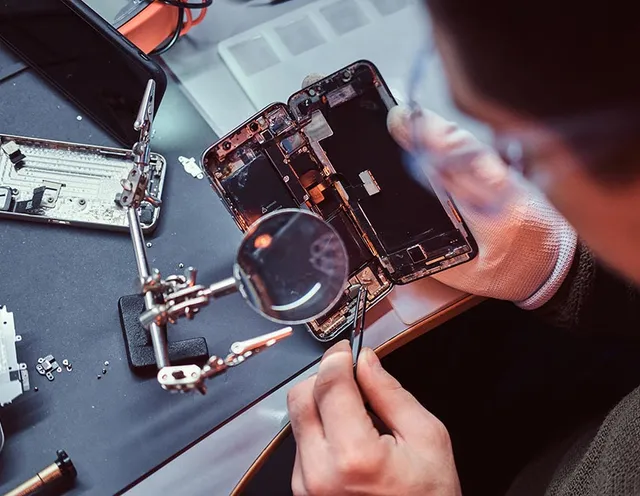
A loose or damaged display connection causes an on-and-off or fully black screen, because the ribbon cable that carries the picture has shifted, often after a drop or a past repair. This one is internal and needs the phone opened and inspected before the fix is confirmed.
Sorting the cause into one of these four buckets tells you whether a home fix will work or whether the phone needs the bench, which the next section covers.
What you can try first
Two quick steps can clear black-screen problems caused by a software freeze or a drained battery: a force restart and a proper charge. Try these before assuming the display is broken.
Force restart the phone first. Press and hold the Volume Down and Power buttons together for about ten seconds until the phone vibrates and the Samsung logo appears. This restarts a frozen phone without erasing anything.
Charge the phone next if the restart does nothing. Plug it into a known-good wall charger and cable, then wait at least fifteen minutes before checking for a charging symbol, because a deeply drained battery needs time before the screen wakes.
Check for physical damage last. Look at the glass and edges for cracks, and note whether the black screen started right after a drop or a spill, because that history usually points to a display or connector fault that a restart cannot fix.
If the screen stays black after a restart and a proper charge, the problem is more likely hardware than software, and that is when a technician should check it.
When to get it repaired
Get the phone repaired when the screen stays black after a force restart and a proper charge, when you see cracks or lines, or when the black screen followed a drop or water. Those signs usually point to the display panel, connection, or battery, which are internal parts a technician replaces after a diagnosis.
Samsung repair for a black screen starts with a diagnosis, because a technician can test whether the fault is the display, the battery, or the connector before replacing anything. That way you are not paying to swap a part that was never the problem.
Samsung screen repair in Orlando
URPhone Store handles Samsung screen repair at 3 Orlando locations, with same-day service when parts are in stock and a warranty on the repair. If you are searching for Samsung screen repair near me, bring the phone in or call a tech to describe the black-screen symptoms first.
Good to Know
Frequently asked questions
Why did my Samsung screen suddenly go black?
Can a black Samsung screen be fixed?
How do I force restart a Samsung with a black screen?
Is a black Samsung screen the same as a dead phone?
My Samsung screen is black but still makes sound. What does that mean?
Fixed fast in Orlando
A black or blank Samsung screen that survives a restart and a charge needs a technician, not more troubleshooting. URPhone Store repairs Samsung screens at 3 Orlando locations, same-day when parts are in stock, with a warranty on the repair. Hours are Mon-Sat 9 AM-9 PM and Sun 10 AM-9 PM.