Why Are There Lines on My iPhone Screen?
Lines on an iPhone screen usually mean a display fault. The most common causes are a damaged display panel or a loose display connector inside the phone, while a software glitch is far less common.
This guide covers what causes lines on an iPhone screen, the two safe checks worth trying yourself, and when the problem needs professional iPhone screen repair.
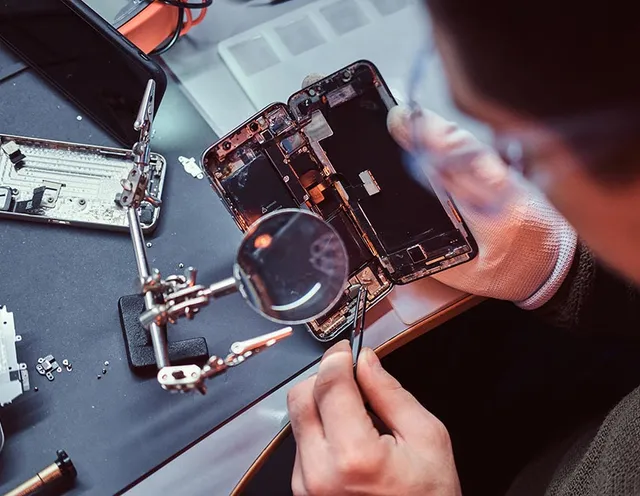
What causes lines on an iPhone screen
Lines on an iPhone screen usually come from one of four causes: a damaged display panel, a loose display connector, drop or pressure damage, or, less often, a software glitch. Each looks similar from the outside, but the repair path differs.
Failing display panel
Vertical or horizontal lines that stay put usually point to a failing display panel. The pixels lose power along a row or column because the panel's internal circuitry is damaged.
Loose display connector
Lines that flicker or shift when you press near the screen edges can point to a loose display connector, often after a drop. A technician has to open the phone to confirm this, because the connector is not visible from the outside.
Drop or pressure damage
A recent drop or sitting on the phone can crack the panel or unseat a cable. The display and its ribbon cables are thin and fragile, so even a short fall can cause visible lines.
Software glitch
On rare occasions a frozen iOS process draws lines that clear on their own after a restart. This is the least common cause and the easiest to rule out.
What you can try first
Two safe steps are worth trying before you book a repair: force restart the iPhone and check it for physical damage. These steps can rule out a temporary software glitch, but they will not fix a damaged display.
Force restart the iPhone
A force restart can clear a temporary software glitch. Lines that disappear after the restart and do not come back were likely software related, so no repair may be needed. Lines that stay or return point to a hardware fault instead.
Check for physical damage
Look for cracks, dents, pressure marks, or a screen edge that sits slightly lifted. Visible damage makes a hardware fault likely, because a restart cannot re-seat a cable or repair a cracked panel.
Lines that remain after a restart, especially alongside visible damage, usually mean the iPhone should be checked for screen repair.
When to get it repaired
Get professional iPhone screen repair when the lines stay after a restart, spread across the display over time, or appear after a drop or cracked panel.
A technician can confirm whether the display panel, the connector, or another fault is the cause. That inspection avoids replacing parts before the cause is confirmed.
URPhone Store handles iPhone repair, including screen replacement, at three Orlando locations, with same-day service when parts are in stock and a 1-year warranty on the replacement screen and workmanship. Call ahead to confirm your iPhone model's screen is in stock.
Good to Know
Frequently asked questions
Can lines on an iPhone screen be fixed?
Will a restart remove lines from my iPhone screen?
How much does it cost to fix lines on an iPhone screen?
Can I keep using an iPhone with lines on the screen?
Where can I get iPhone screen repair near me in Orlando?
Get your iPhone screen fixed in Orlando
URPhone Store repairs iPhone screens at three Orlando locations, with same-day service when parts are in stock and a 1-year warranty on the replacement screen and workmanship.